🌖
highchart pie dataLabel ... 으로 나올때
August 12, 2024
highchart pie dataLabel … 으로 생략 되서 나올때

chart의 data label 이 숫자가 커져서 … 으로 나오는 현상이 발생했다.
왜이러지?
z-index 도 주고
해봤지만 실패
계속 해서 구글링
textOverflow: 'clip'요거 한줄 추가하니까 성공
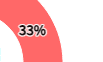
~
plotOptions: {
series: {
    allowPointSelect: true,
    cursor: 'pointer',
    borderRadius: 1,
    dataLabels:[{
        enabled: false,
        distance: 20,
        format: '{point.name}'
    }, {
        enabled: true,
        distance: -20,
        format: '{point.percentage:.0f}%',
        style: {
            color: '#000',
            fontSize: '13px',
            fontFamily: "NotoSansM",
            zIndex: 1000,
            textOverflow: 'clip'    //이거 한줄 추가!
        }
    }],
},
pie: {

~
근데 css 에서 text-overflow clip이 뭐였더라?
a {/*뒤에 ...*/
    text-overflow: ellipsis;
}

b {/*뒤에 ... 안오고 그냥 냅다 나옴*/
    text-overflow: clip;
}
아항
이렇게 css 까지 배우고 갑니다~
참고 : [https://developer.mozilla.org/en-US/docs/Web/CSS/text-overflow]
참고 : [https://api.highcharts.com/highcharts/plotOptions.series.dataLabels]